How Broc works
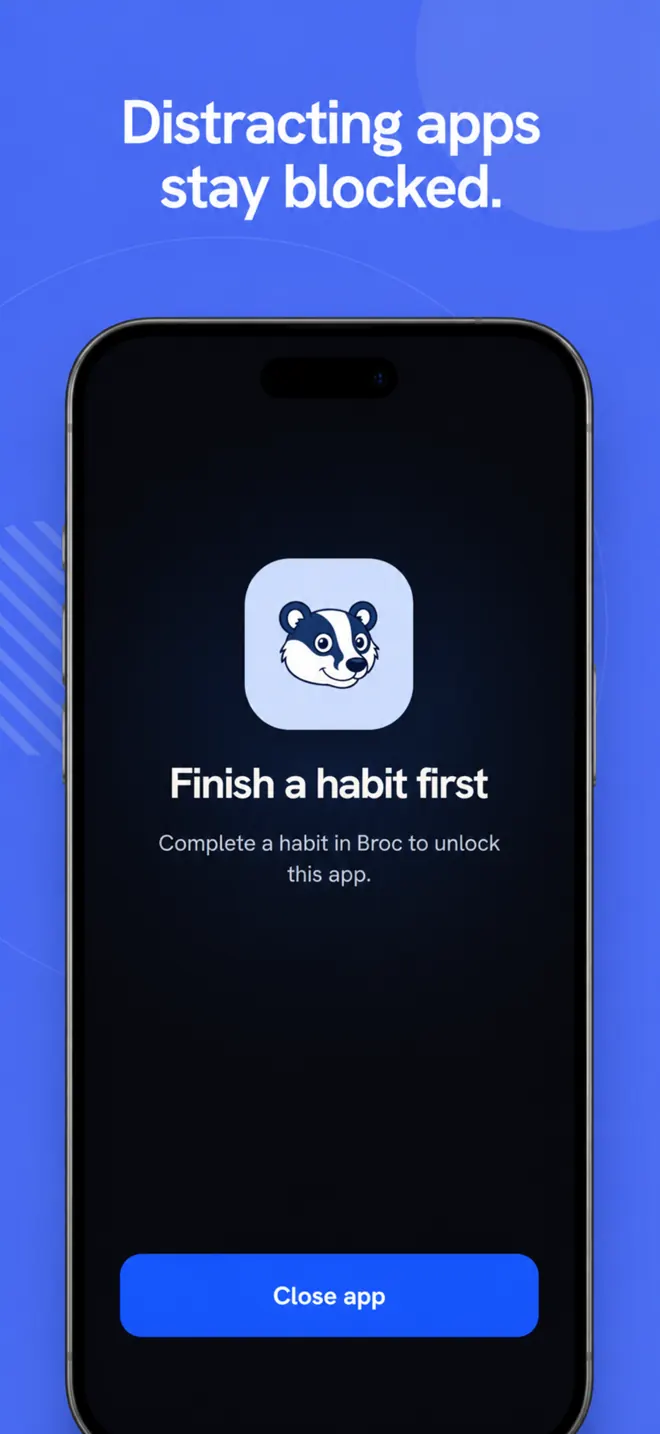
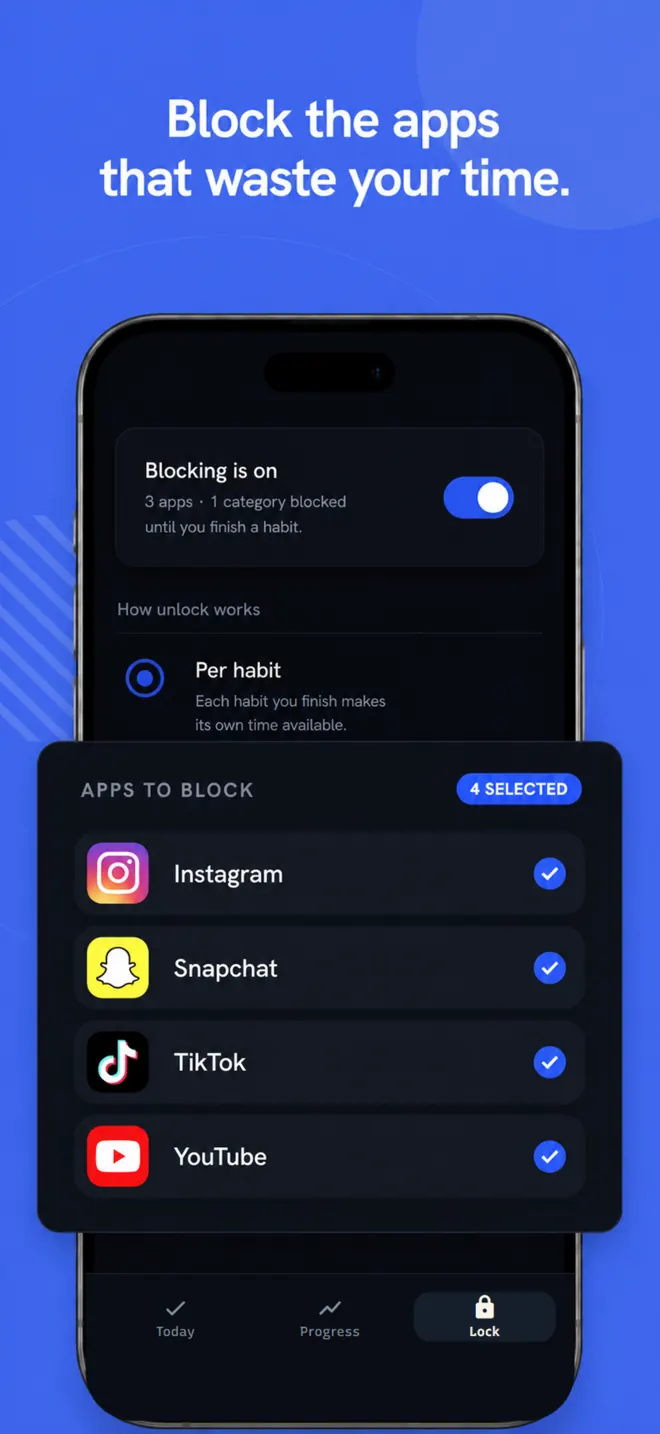
Block
Choose the apps you want to restrict. Broc blocks them when you try to open them.
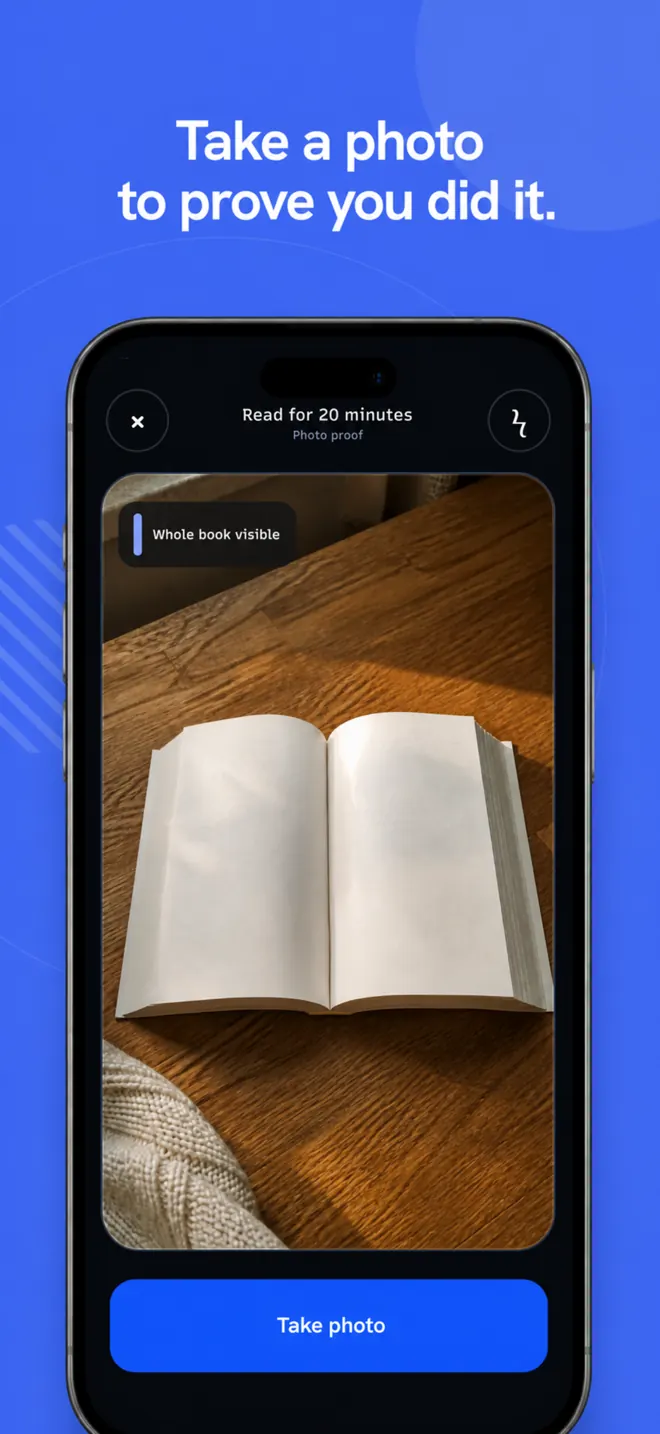
Do the habit
Complete the habit using a tick, photo, timer, or verified time in another app.
Earn it back
Use the app for the unlock time you set. When that time ends, it is blocked again.
Choose the apps and habits.
Select distracting apps, then set how each habit is completed: tick, timer, photo, or verified app time.
Questions
How does Broc block apps?+
When you open a blocked app, Broc's wall appears instead. Finish a habit to unlock the app for the amount of time you set.
What does it cost?+
Broc is a subscription with a 7-day free trial. One plan includes unlimited habits, custom unlock times, photo verification, and progress history. There are no ads.
What does Broc see on my phone?+
On Android, Broc checks which app is open against your block list. On iPhone, Apple keeps your Screen Time selections opaque. No keylogging, no screen recording, no browsing history. Details in the privacy policy.
Is Broc on iPhone and Android?+
Yes. Broc is available on the App Store for iOS 16 or later and on Google Play for Android.
Does blocking work differently on iPhone?+
The outcome is the same, but the system controls differ. iPhone uses Apple's Screen Time picker and shields; Android uses Usage Access and an overlay. Apple keeps selected app identities private from Broc.
How do I cancel or delete my account?+
Cancel in your Apple or Google subscription settings. Deleting Broc does not cancel billing. Delete your Broc account from Settings, or follow the account-deletion steps.
Block distracting apps.
Available now for iPhone and Android. Start with a 7-day free trial.
One subscription · No ads